Dream Beam 555 AX - Adjustable Sensitivity Overview
Dream Beam 555 AX - Adjustable Sensitivity is an intelligent light detection sensor from Sadat Akhavi Academy – part of the LED Adventure Series. It combines active and passive electronic components to automatically detect ambient light levels and control LEDs or external modules.
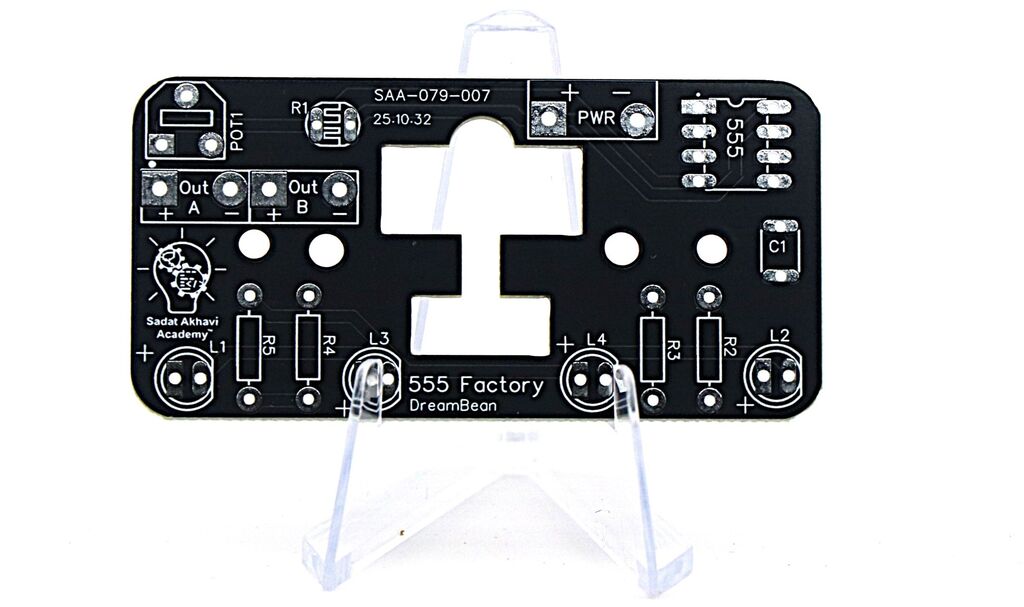
What is Dream Beam 555 AX - Adjustable Sensitivity?
Dream Beam 555 AX - Adjustable Sensitivity is a smart light sensor kit that uses a light-dependent resistor (LDR) to measure environmental brightness. It employs a 555 timer IC as an electronic switch to turn lights ON or OFF based on detected light conditions, making it perfect for automated lighting applications.
Key Features
- 🌞 Light Detection - Sensitive LDR for accurate brightness sensing
- 🔄 Automatic Switching - 555 Timer IC-based control for seamless operation
- ⚡ Energy Efficient - Only activates when needed
- 🎯 Compact Design - Easy to integrate into projects
- 🔋 Flexible Power - Compatible with various power sources
- 📚 Educational Focus - Learn about sensors, 555 timer IC, and analog circuits
Use Cases
- Automatic street or garden lighting
- Security systems with light-activated alerts
- Energy-saving home automation
- Educational demonstrations of sensor technology
- Prototype for smart lighting projects
- Night light that turns on in darkness
Learning Objectives
By building the Dream Beam 555 AX - Adjustable Sensitivity kit, you will:
- Understand how light-dependent resistors (LDRs) work
- Learn about 555 timer IC operation and applications
- Explore analog signal processing and thresholds
- Practice sensor integration in electronic circuits
- Gain experience with automatic control systems
Kit Contents
The Dream Beam 555 AX - Adjustable Sensitivity kit includes:
- Pre-designed PCB (Printed Circuit Board)
- Electronic components (LDR, 555 timer IC, resistors, LEDs)
- Assembly hardware and connectors
- Complete documentation and learning materials
Next Steps
Ready to get started?
- View the complete inventory → of all components
- Check recommended tools → for assembly
- Begin assembly → with step-by-step instructions